KB00016 - Reinitializing AD Sync
In this article:
Starting IIS Application Pool Recycle
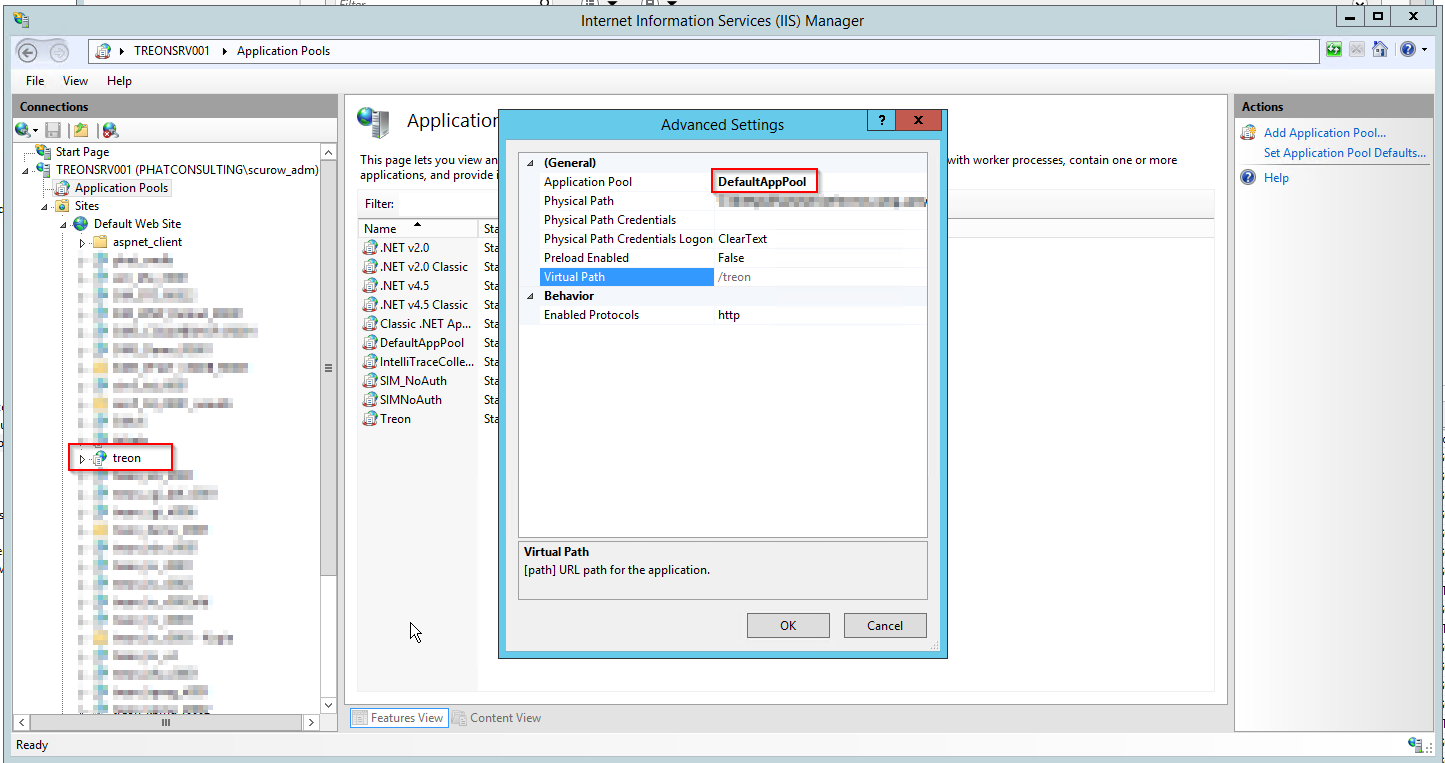
In order to discern the configurated App Pool, please follow the instruction below:
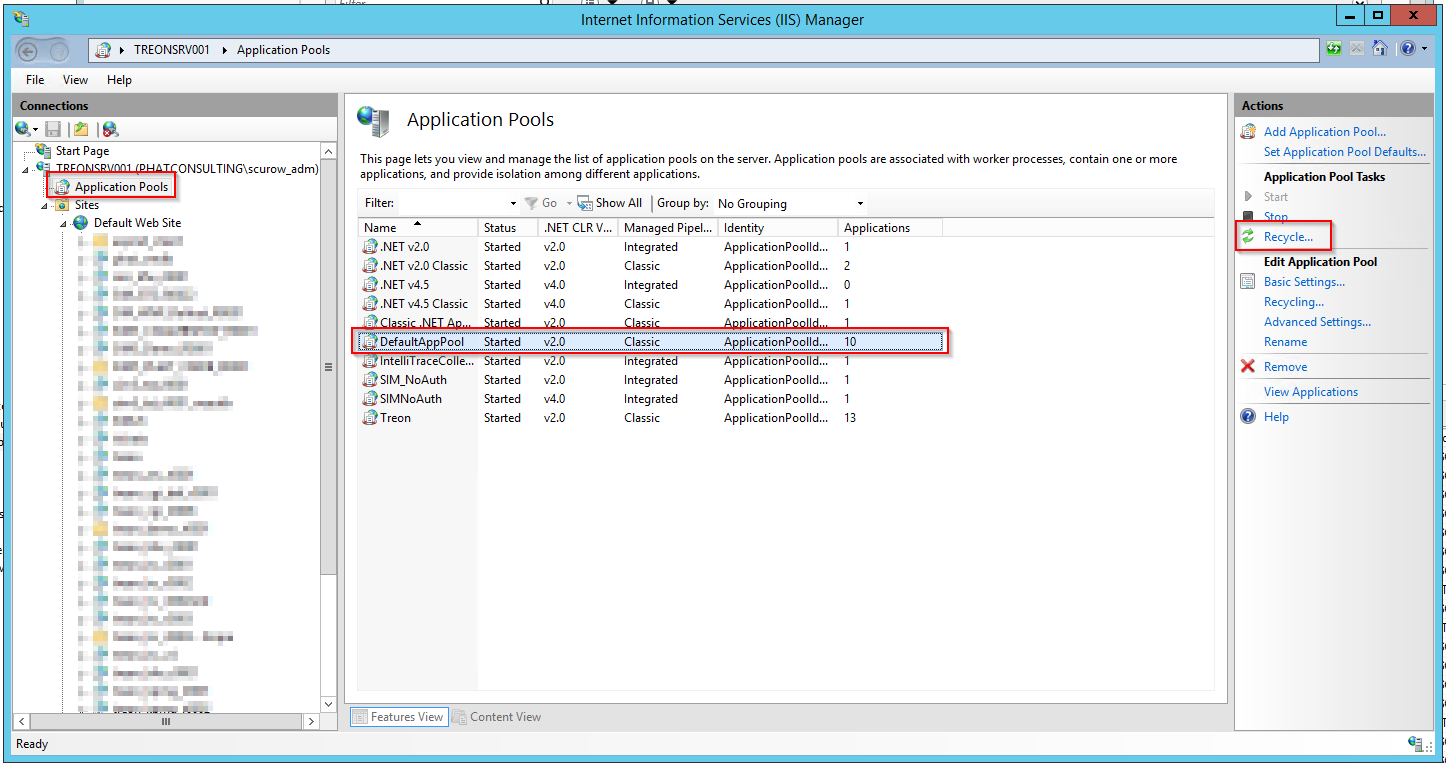
Then, start recycling:
Finding Configuration.xml
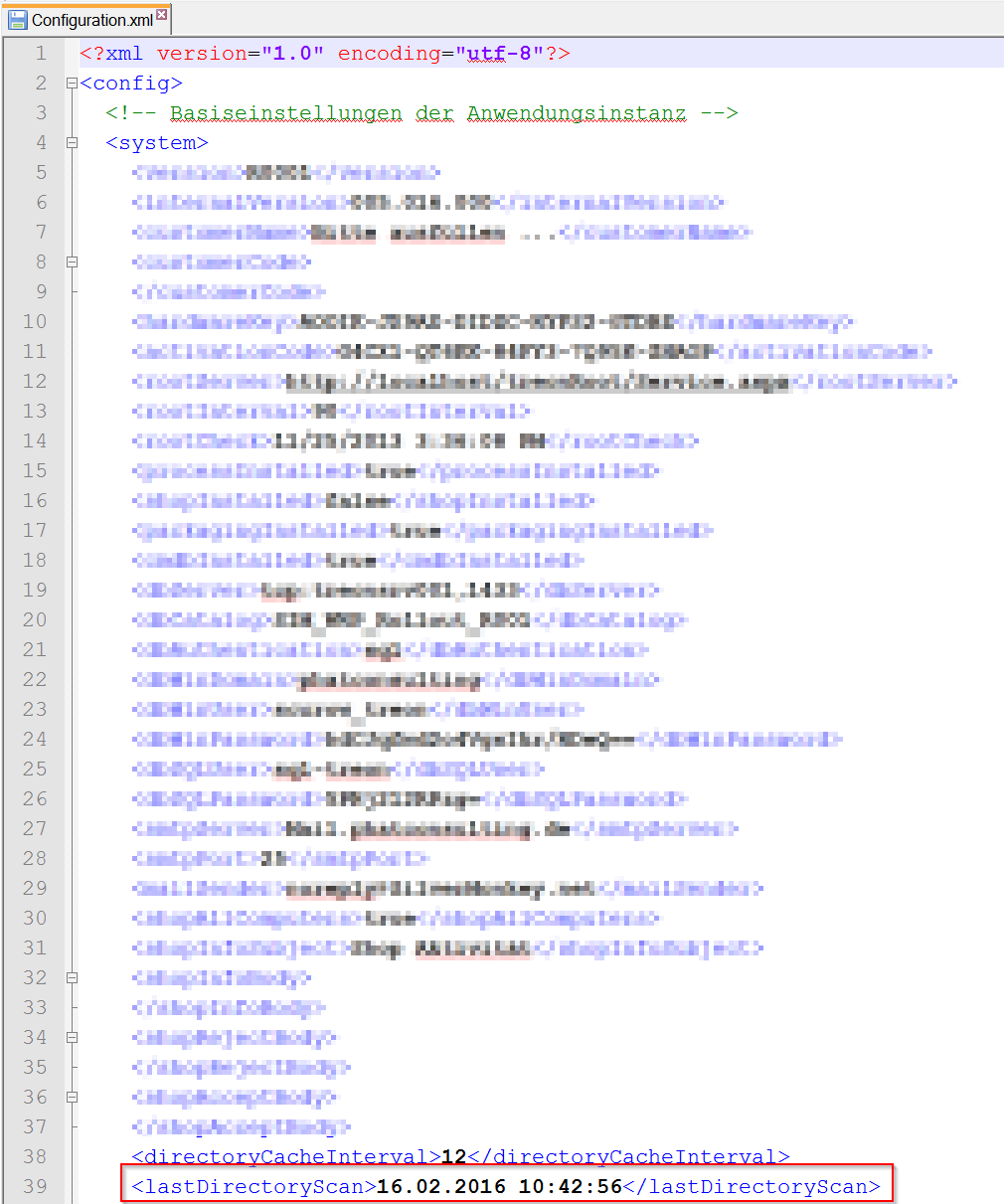
Search for the Configuration.xml file in the system that delivers the IIS service in one of the following directories:
C:\inetpub\wwwroot\treon_r****\App_Data
C:\inetpub\wwwroot\sim_r****\App_Data
Starting and Checking AD Sync
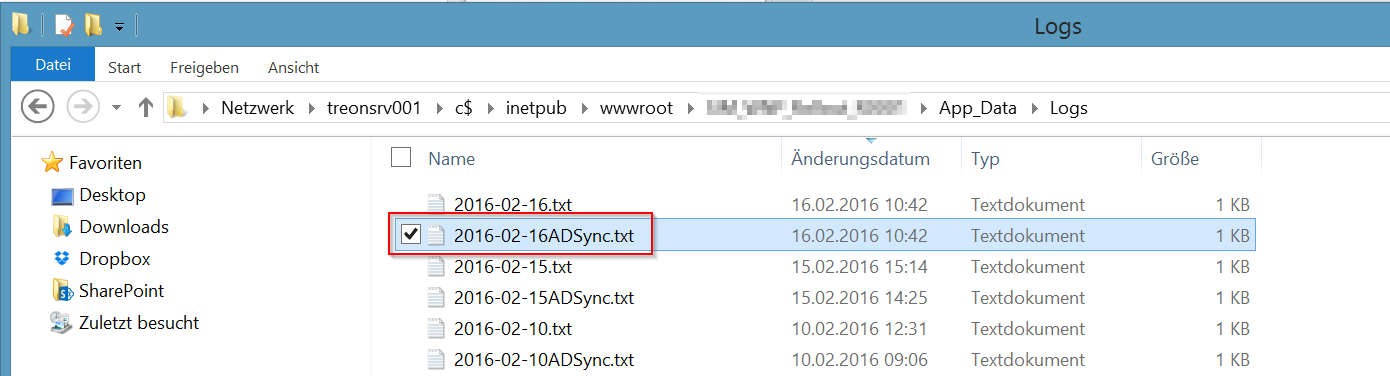
Please reload the Silver Monkey website in your browser by pressing the F5-key. A new AdSync log file should be created in the log directory.